你正在訪問的內容是外部程式的映像位址,僅用於使用者加速訪問,本站無法保證其可靠性。當前的連結位址(單點即可複製)為 https://greasyfork.org.cn/zh-CN/scripts/20973-github-collapse-in-comment,源站連結 點此以跳轉。
GitHub Collapse In Comment
A userscript that adds a header that can toggle long code and quote blocks in comments
A userscript that adds a header that can toggle long code and quote blocks in comments
- The block header:
- Allows the toggling of the long code & quote block views.
- Includes the code language based on the syntax highlighting class name; if highlighting is not applied, "Block" is used as the default name.
- Includes the number of lines within the block.
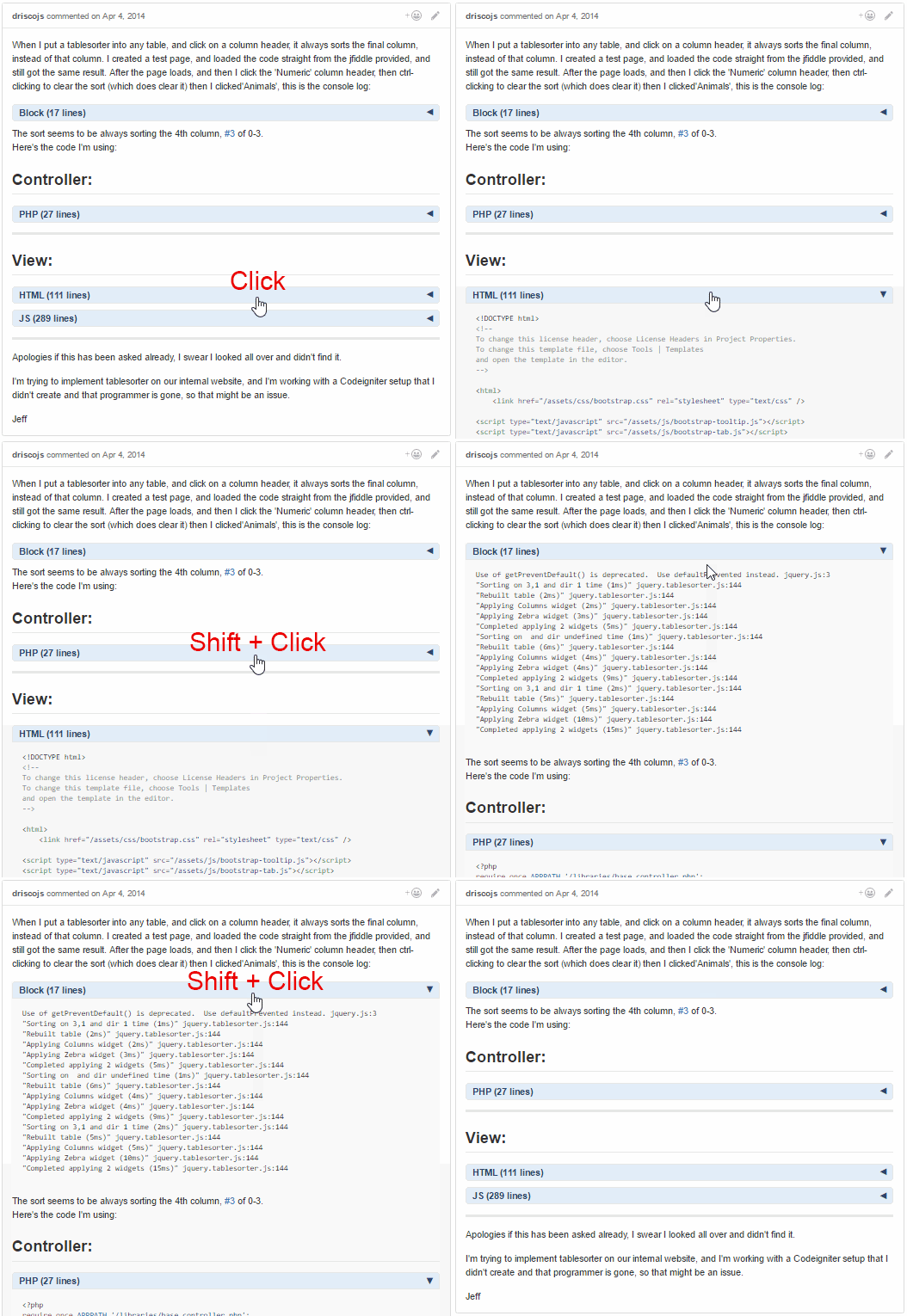
- Click the header to toggle the view of the content immediately below the header.
- Use Shift + Click to toggle all the view of all blocks within the same issue comment.
- Can be used along with the [[GitHub-collapse-markdown]] userscript.
- Use the userscript addon to change these settings (see screenshot below):
- "Set GitHub Collapse in Comment Max Lines" to the number of lines within a block needed to add a header (set to
10by default). - "Set GitHub Collapse in Comment Initial State" to
expandedto not have the blocks initially collapsed (collapsedby default). - After changing either option, make sure to reload the page (Shift + F5) to have the updated setting take effect.
- "Set GitHub Collapse in Comment Max Lines" to the number of lines within a block needed to add a header (set to