你正在訪問的內容是外部程式的映像位址,僅用於使用者加速訪問,本站無法保證其可靠性。當前的連結位址(單點即可複製)為 https://greasyfork.org.cn/zh-CN/scripts/20974-github-collapse-markdown,源站連結 點此以跳轉。
GitHub Collapse Markdown
A userscript that collapses markdown headers
A userscript that collapses markdown headers
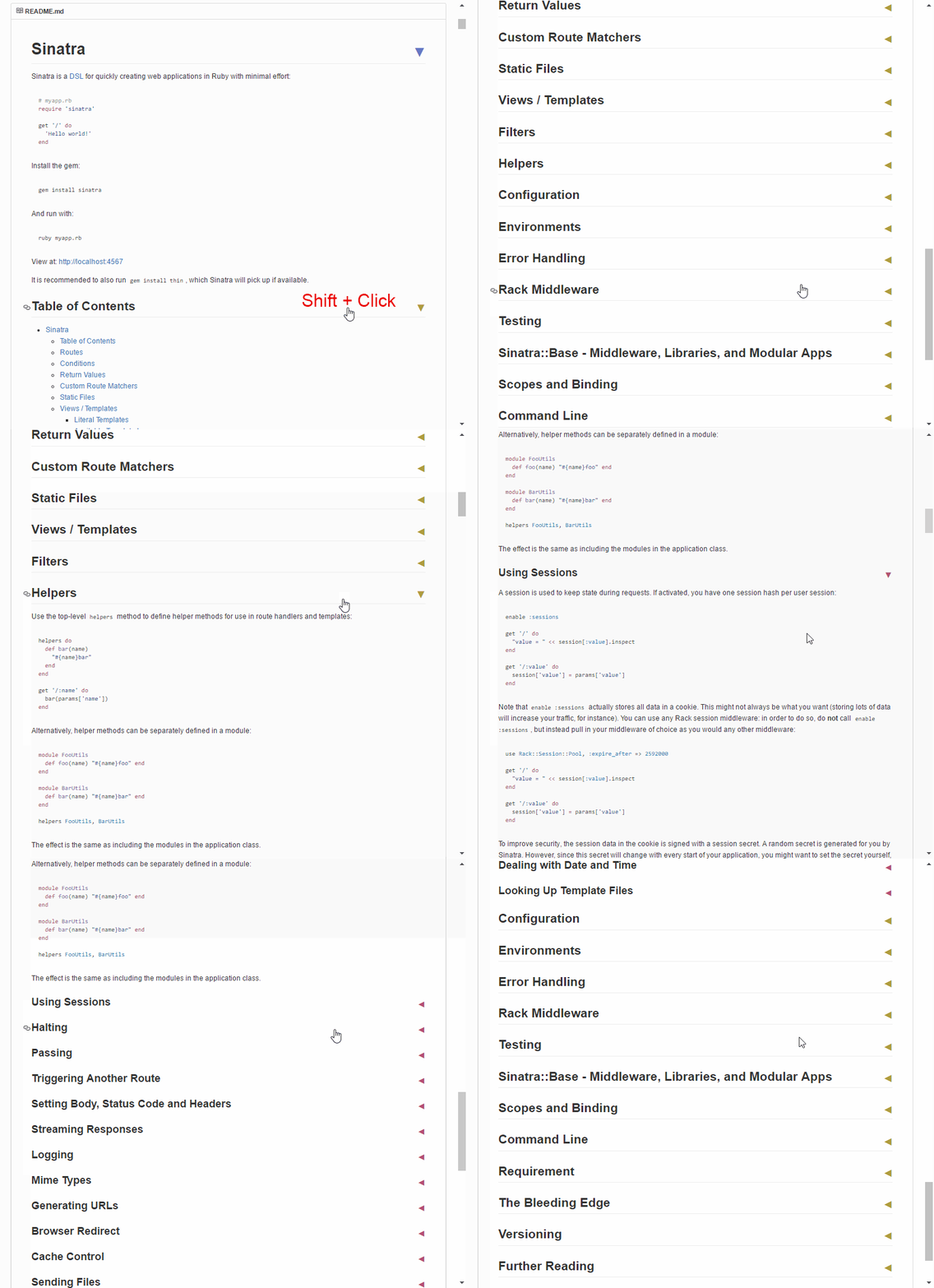
- This script makes all markdown headers clickable and toggles the view of all content between same level headers (e.g. between H2 headers).
- It works on readme, issues, markdown preview, wiki & gist pages. Pretty much everywhere on GitHub.
- Click on any header to toggle the view of the content below it.
- Use Shift + Click to toggle the view of all same level header content.
- When the content of a header is expanded, all sub-headers are also expanded.
- Links within the header are still clickable.
- Can be used along with the GitHub-table-of-contents & the GitHub-collapse-in-comment userscripts.
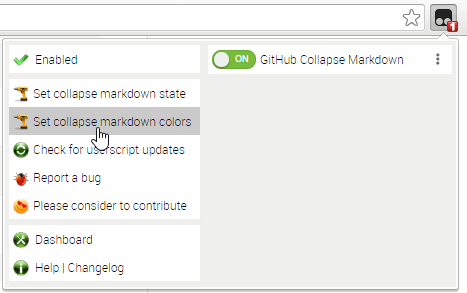
Use the userscript addon to change these settings (see screenshot below):
- "Set collapse markdown state" to
collapsed(expandedby default) which collapses all header content initially. - "Set collapse markdown colors" to an JSON array with six color values (accepts named, hex, rgb, hsl, etc). For example:
 // palette generated by http://tools.medialab.sciences-po.fr/iwanthue/
 // (colorblind friendly; soft)
 ["#6778d0", "#ac9c3d", "#b94a73", "#56ae6c", "#9750a1", "#ba543d"]
These six colors apply to the H1 through H6 header arrows respectively.
- After changing either option, make sure to reload the page (Shift + F5) to have the updated setting take effect.
- "Set collapse markdown state" to