你正在訪問的內容是外部程式的映像位址,僅用於使用者加速訪問,本站無法保證其可靠性。當前的連結位址(單點即可複製)為 https://greasyfork.org.cn/zh-CN/scripts/33052-batch-register-steam-keys,源站連結 點此以跳轉。
Batch Register Steam Keys
Allows you to redeem your Steam product keys with just one click
Batch Register Steam Keys
Allows you to activate your Steam product keys with only one click.
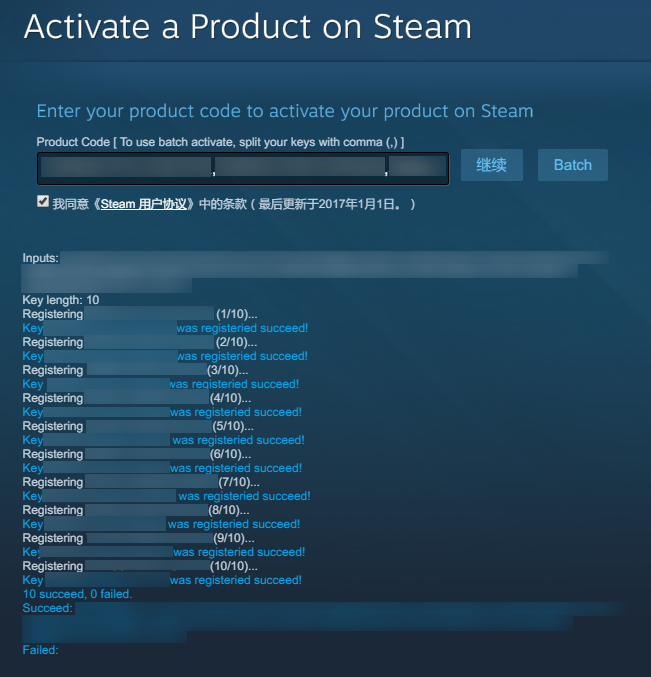
How to
Install the script
Make sure you have split your Steam keys with comma, like
Key1,Key2,Key3
You can paste your keys to Excel in one row, save it as a CSV file, then open the file with Notepad
You can also split them with new line by switching to Multi-line ModeGo to https://store.steampowered.com/account/registerkey , if it's okay, you'll see a Batch button
Paste your keys to the input field, then click Batch button (NOT Continue button)
Wait until it finishes the work!
Note
The script won't verify the syntax of your keys, you should make it sure by yourself (though Steam will also verify it)
It'll delay about 5 seconds before verifying the next key, to try avoiding banning your request
If it's hard to copy and paste keys one by one, you can try
Filter Keysfeature to get your keys (see screenshot 3)


