你正在訪問的內容是外部程式的映像位址,僅用於使用者加速訪問,本站無法保證其可靠性。當前的連結位址(單點即可複製)為 https://greasyfork.org.cn/zh-CN/scripts/401432-google-image-search-show-image-dimensions,源站連結 點此以跳轉。
Google Image Search - Show Image Dimensions
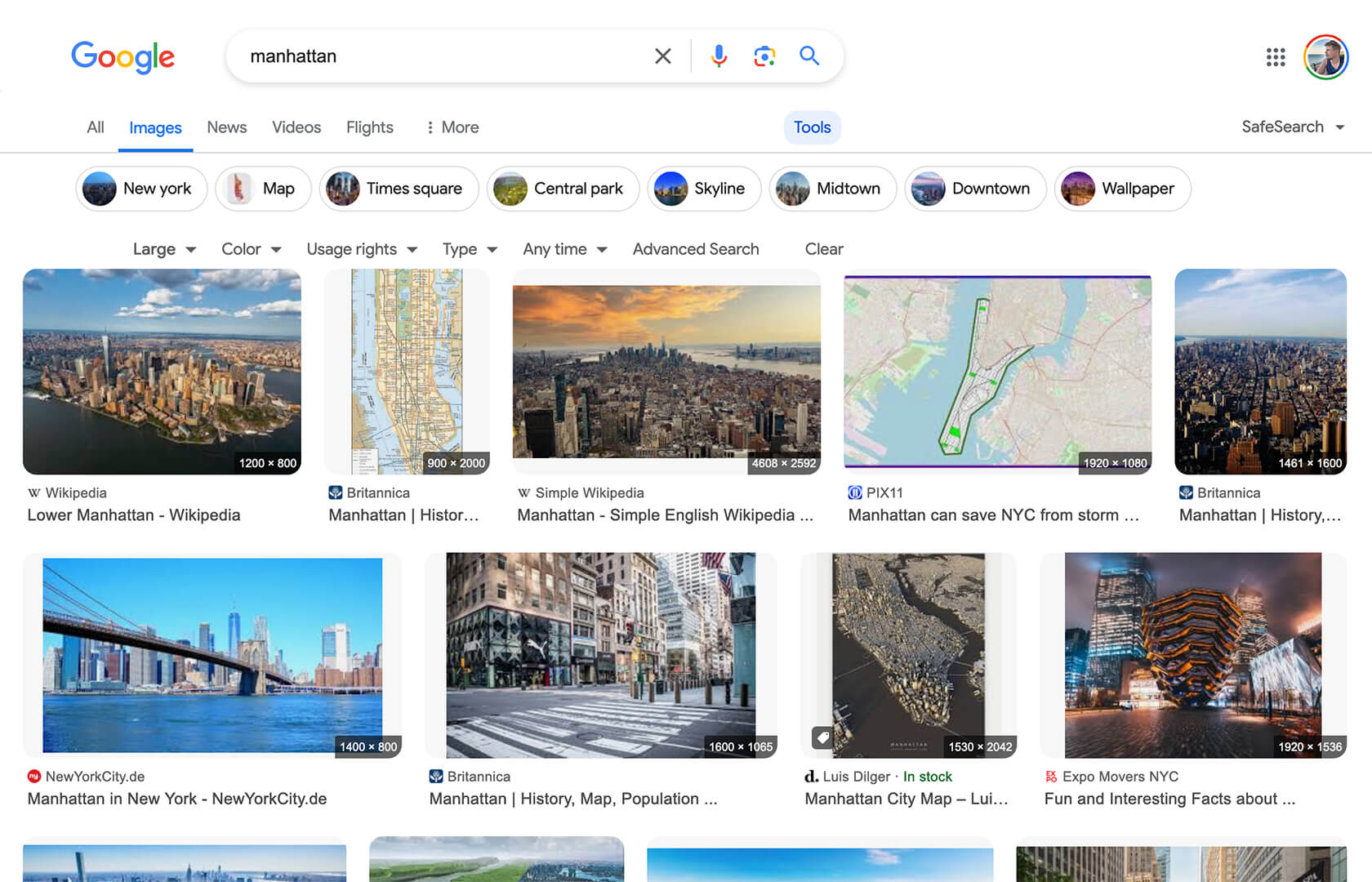
Displays image dimensions (eg. "1920 × 1080") for each thumbnail on the Google Image Search results page.
- 日安装量
- 1
- 总安装量
- 10,986
- 版本
- 1.6.0
- 创建于
2020-04-19 - 更新于
2025-12-24 - 大小
- 11.1 KB
- 兼容性
-




- 许可证
- MIT
- 适用于

Google Image Search - Show Image Dimensions
This userscript reintroduces image dimensions on thumbnails on the Google Image Search results page.
Screenshot
Installation
To use userscripts you need to first install a userscript manager. They come as extensions for various browsers:
- Violentmonkey - for Chrome, Edge, Firefox, Opera
- Tampermonkey - for Chrome, Edge, Safari, Firefox, Opera
After you have installed a userscript manager, head over to greasyfork.org.cn/scripts/401432 and click on the green "Install this script" button there.
Usage
After you have installed a userscript manager and this script, just visit the Google Image Search page (https://www.google.com/imghp) and start searching 😃