你正在訪問的內容是外部程式的映像位址,僅用於使用者加速訪問,本站無法保證其可靠性。當前的連結位址(單點即可複製)為 https://greasyfork.org.cn/zh-CN/scripts/420947-transparent-standalone-images,源站連結 點此以跳轉。
Transparent standalone images
By default, the transparency of an image opened in a separate tab is indicated by a gray color. This script replaces it with a checkerboard pattern
- 日安装量
- 0
- 总安装量
- 57
- 版本
- 3.0.1
- 创建于
2021-01-31 - 更新于
2025-07-07 - 大小
- 3.5 KB
- 兼容性
-



- 许可证
- 暂无
- 适用于
- 所有网站
🐣 This script is not abandoned
If it doesn't work properly, use the script discussions or DM me on the website
About
Images with a transparent background have a weird gray color behind them when they're opened in a new tab (for example, when you right-click and choose "View Image"). Because of that it's hard to tell what parts of an image are really transparent and in what degree. To solve the problem this script makes a background similar to Photoshop for a "single image" type of pages
Examples of images with transparent backgrounds:
- https://docs.htmlcsstoimage.com/assets/images/cat.png
- https://png.pngtree.com/png-clipart/20230511/ourmid/pngtree-isolated-cat-on-white-background-png-image_7094927.png
- https://support.lunapic.com/editor/premade/transparent.gif

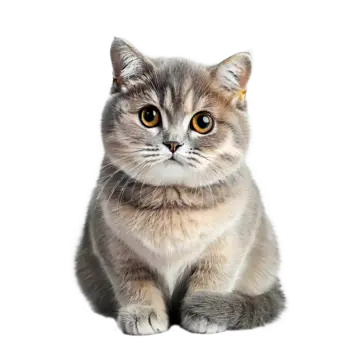

You can use the script for local files as well. To do that, in your browser settings, allow your script manager extension to access local files
If the checkerboard looks weird or distorted at your zoom level, you can switch to an alternative rendering mode through the script manager dropdown menu. Page reload is required for the change to take effect


