- 版本
- 7.2.0
- 创建于
2021-02-11 - 更新于
2025-02-08 - 大小
- 183.9 KB
- 兼容性
-





- 许可证
- MIT
- 适用于
- 所有网站
你正在訪問的內容是外部程式的映像位址,僅用於使用者加速訪問,本站無法保證其可靠性。當前的連結位址(單點即可複製)為 https://greasyfork.org.cn/zh-CN/scripts/421603-magic-userscript-show-site-all-userjs,源站連結 點此以跳轉。
为当前网页查找可用的用户脚本。
当前为




 Magic Userscript+
A complete rewrite of Userscript+ : Show Site All UserJS
Finds available UserScripts for the current webpage, the power of Greasy Fork on the go!
List of known issues by Web Browser
UserScript:
IMPORTANT If the current webpage is set to block resources through CSP
It will cause the UserScript not work for that webpage!
Web Extension:
Firefox:
Available for desktop and Android versions.
Chromium:
Userscript+ should be compatible with any Chromium-based browser
(Not Recommended) Bookmarklet:
Save this URL as a bookmark, clicking it will cause the UserScript version to inject itself into the current webpage.
javascript:(function(){['https://cdn.jsdelivr.net/gh/magicoflolis/Userscript-Plus@master/userscript/dist/magic-userjs.user.js'].map(s=>document.body.appendChild(document.createElement('script')).src=s)})();
UserScript Features:
Tested and compatible with TamperMonkey or ViolentMonkey
Bookmarklet Features:
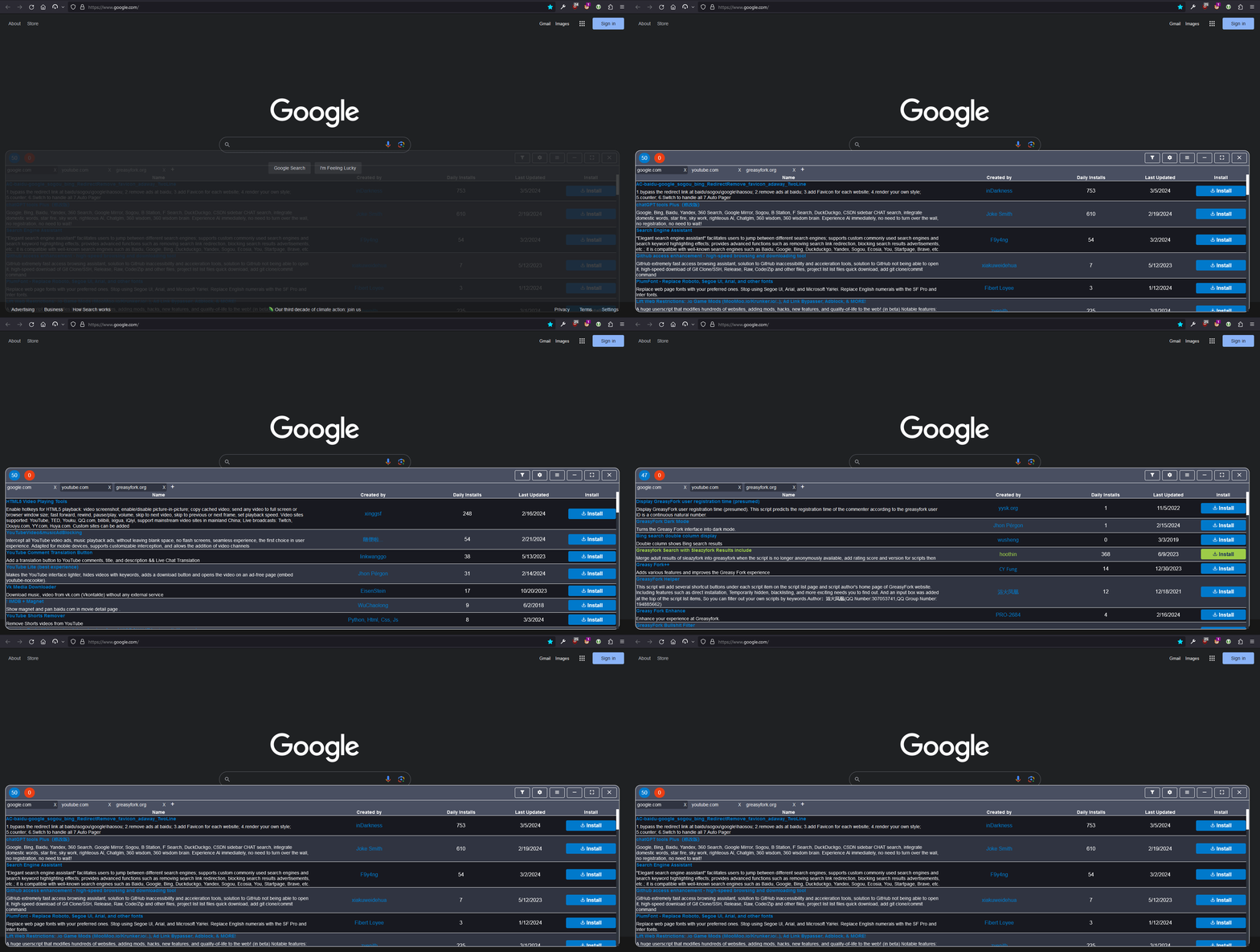
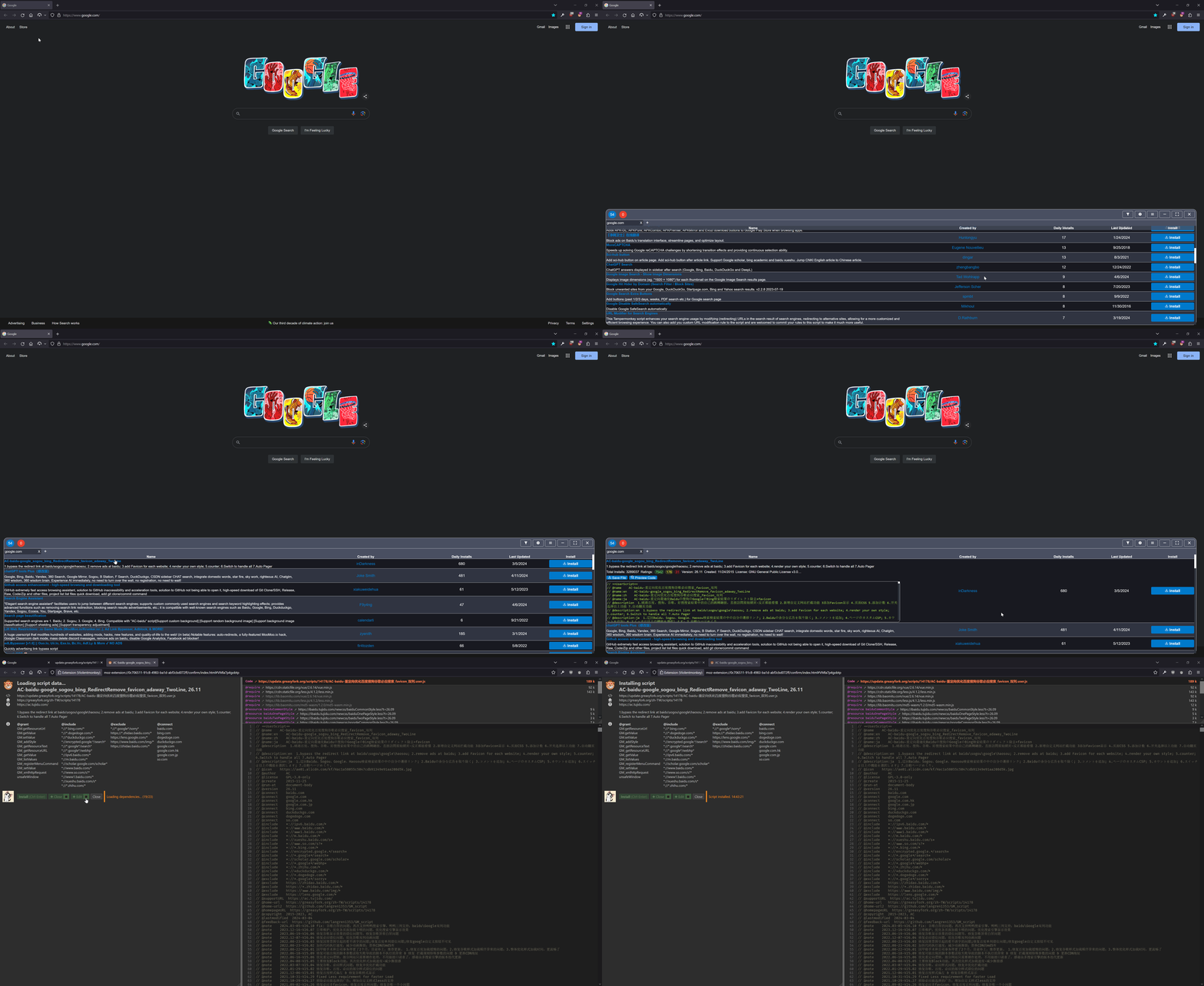
(UserScript) How do I open the menu?:
(UserScript) Nothing appears bottom right:
(UserScript) Error occurred while injecting Container:
(UserScript) Error occurred while loading UserJS for this webpage:
No available UserJS for this webpage:
Filter out other languagesInstall Node.js and pnpm. The version of Node.js should match or be greater than the "node" key in package.json.
# Install dependencies
$ pnpm i
Desktop - Developed in ViolentMonkey, see How to edit scripts with your favorite editor?
Mobile - Developed in FireFox Developer Edition "Responsive Design Mode" on desktop + cromite app on Android
# Watch and compile to local HTTP server
$ pnpm run dev:UserJS

# Compile UserScript to "./dist"
$ pnpm run pub:UserJS
# Compile WebExtension (developer version) for "Chromium" to "./build/chrome"
$ pnpm run dev:Cr
# Compile WebExtension (developer version) for "Firefox" to "./build/firefox"
$ pnpm run dev:FF
# Compile WebExtension (public version) for "Chromium" to "./build/chrome"
$ pnpm run webpack:Cr
# Compile WebExtension (public version) for "Firefox" to "./build/firefox"
$ pnpm run webpack:FF

# [ Testing ]
# Browsers can be launched via "Run and Debug" in VSCode.
# Edit runtimeExecutable in ".vscode/launch.json" to your Chrome executable.
# Recommended to create an additional profile "about:profiles" for Firefox.