你正在訪問的內容是外部程式的映像位址,僅用於使用者加速訪問,本站無法保證其可靠性。當前的連結位址(單點即可複製)為 https://greasyfork.org.cn/zh-CN/scripts/447447-youtube-audio-mode,源站連結 點此以跳轉。
Youtube Audio Mode
Listen to only the audio on YouTube without loading the video.



Youtube Audio Mode
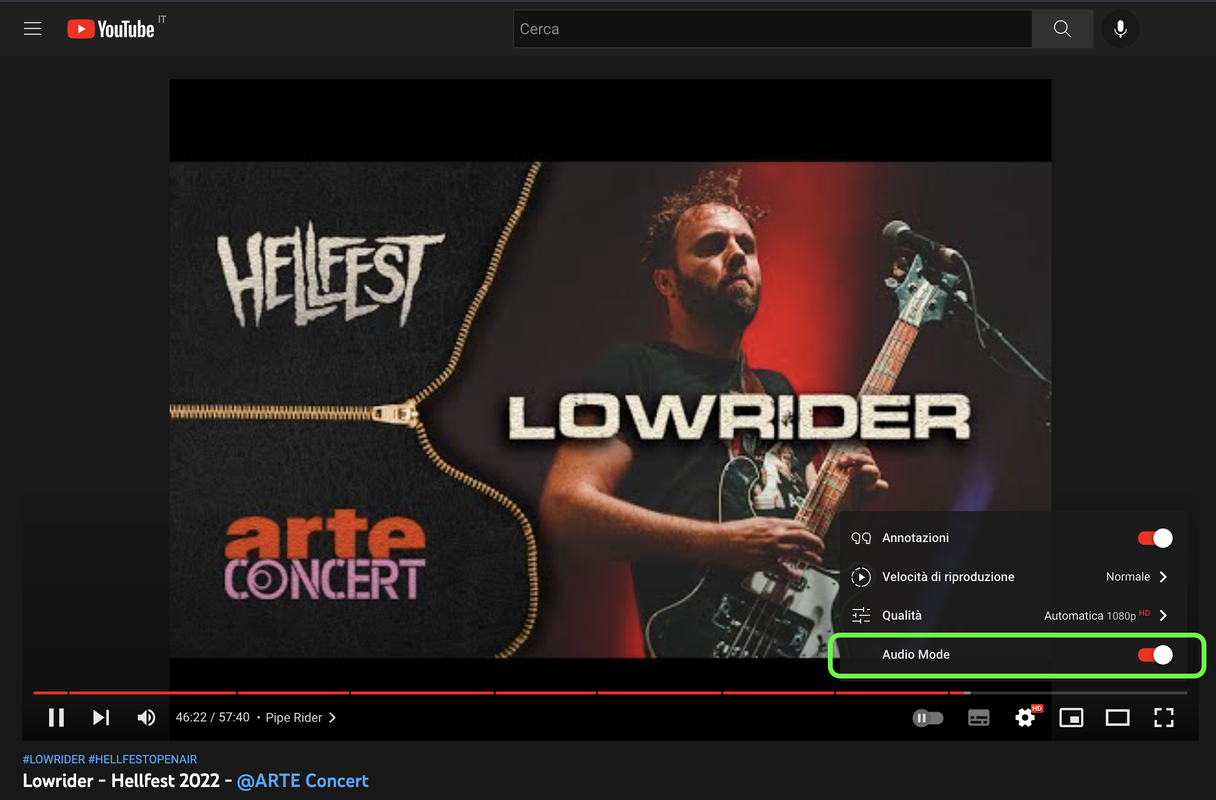
This userscript add a toggle to switch audio mode on Youtube.
Screenshot
PLEASE NOTE
I've found the original userscript on Github: https://github.com/teaqu/youtube-audio-mode but it's not working anymore so I've opened an issue. After a month without receiving a reply I've decided to update the script myself. The first thing I've noticed is that the issue I've opened was totally wrong.
Known issues
When activating audio mode, the userscript starts making the same Youtube-native FETCH request multiple times (3-4 times). The request is for the stream at timeline 0:00, therefore the audio keeps restarting and is pretty annoying.Fixed inv.0.2.8