你正在訪問的內容是外部程式的映像位址,僅用於使用者加速訪問,本站無法保證其可靠性。當前的連結位址(單點即可複製)為 https://greasyfork.org.cn/zh-CN/scripts/496646-chatgpt-code-highlight,源站連結 點此以跳轉。
ChatGPT 代码高亮
为 ChatGPT 添加所有语言代码高亮(使用 highlight.js)
ChatGPTCodeHighlight
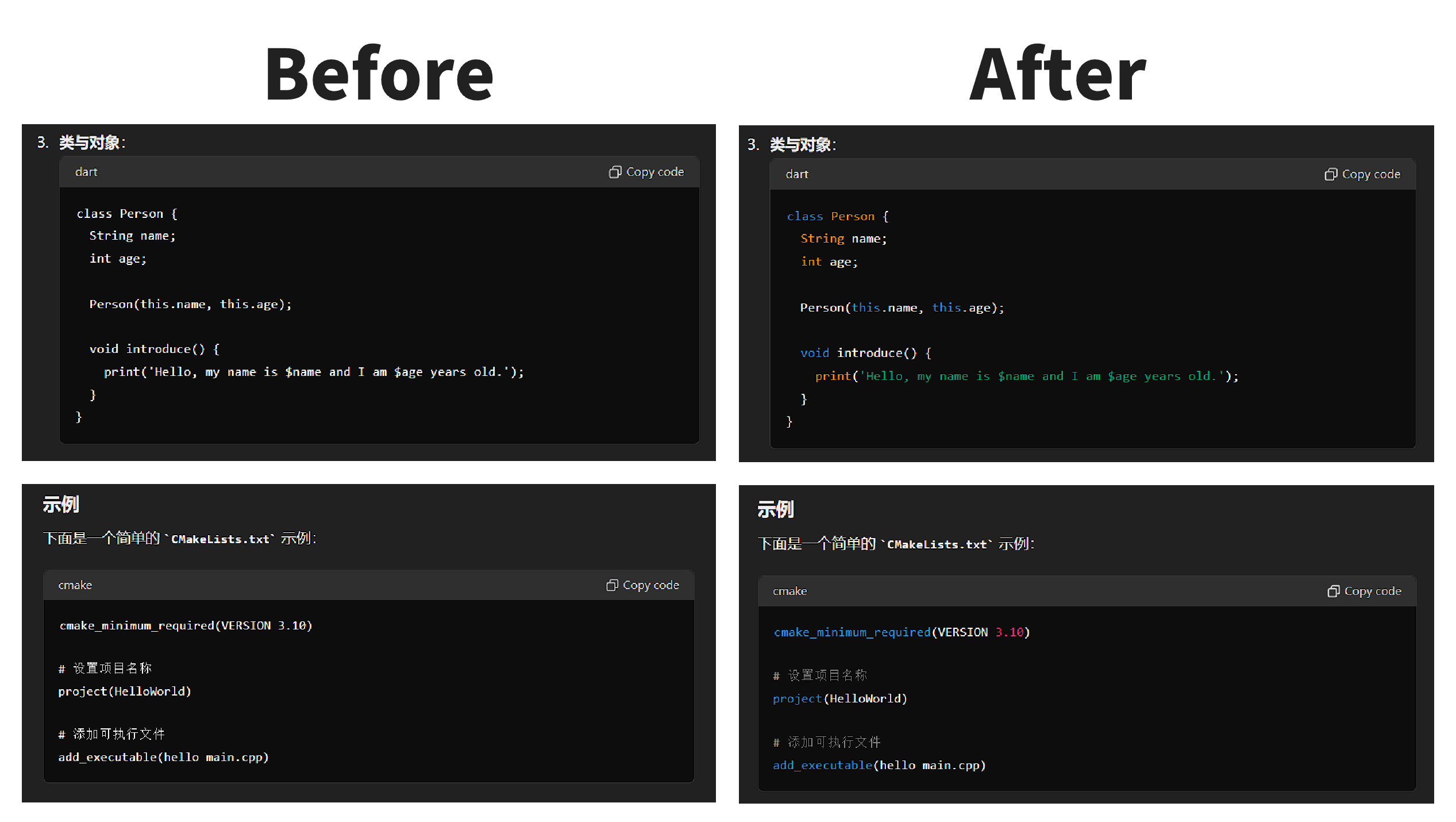
为 ChatGPT 编写的所有语言代码增加高亮显示。 支持 Highlight.js 所有的 192 种语言,与 ChatGPT 主题保持一致。
GitHub
安装
- Chrome 推荐使用扩展:「Tampermonkey」
- Firefox 推荐使用扩展:「Greasemonkey」
- 脚本地址:https://greasyfork.org.cn/zh-CN/scripts/496646-chatgpt-code-highlight
使用
- 使用「安装」中提到的任意一个插件安装脚本
- 打开 https://chatgpt.com/ 进行对话
- 查看代码高亮效果
Add syntax highlighting to all language codes written for ChatGPT. Supports all 192 languages of Highlight.js and maintains consistency with the ChatGPT theme.
GitHub
- Repository: https://github.com/Dreace/ChatGPTCodeHighlight
Installation
- For Chrome, it is recommended to use the extension: "Tampermonkey"
- For Firefox, it is recommended to use the extension: "Greasemonkey"
- Script URL: https://greasyfork.org.cn/zh-CN/scripts/496646-chatgpt-code-highlight
Usage
- Install the script using any of the plugins mentioned in the "Installation" section.
- Open https://chatgpt.com/ and start a conversation.
- Observe the code highlighting effect.