你正在訪問的內容是外部程式的映像位址,僅用於使用者加速訪問,本站無法保證其可靠性。當前的連結位址(單點即可複製)為 https://greasyfork.org.cn/zh-CN/scripts/529190-youtube-speed-and-loop,源站連結 點此以跳轉。
YouTube Speed and Loop
Enhances YouTube with playback speeds and repeat functionality.
YouTube-Speed-and-Loop
Enhances YouTube with playback speeds beyond 2x and repeat functionality.
Features
- Playback Speed Control: Adjust playback speed from 0.25x to 5x using a slider or preset buttons.
- Loop Playback: Toggle loop playback on/off for the entire video.
- Loop Range: Set specific start and end times to loop a section of the video.
Installation
- Install a userscript manager like Tampermonkey and enable developer mode (see this guide).
- Go to Greasy Fork to install the script.
Usage
- Playback Speed:
- Use the slider to adjust the speed dynamically.
- Click preset buttons (1x, 1.5x, 2x, 3x, 4x, 5x) for quick selection.
- Loop Playback:
- Click the "Loop Playback" button to toggle looping on/off.
- Loop Range:
- Click "Set Start" to mark the loop start time.
- Click "Set End" to mark the loop end time.
- Click "Clear" to reset the loop range.
Screenshots
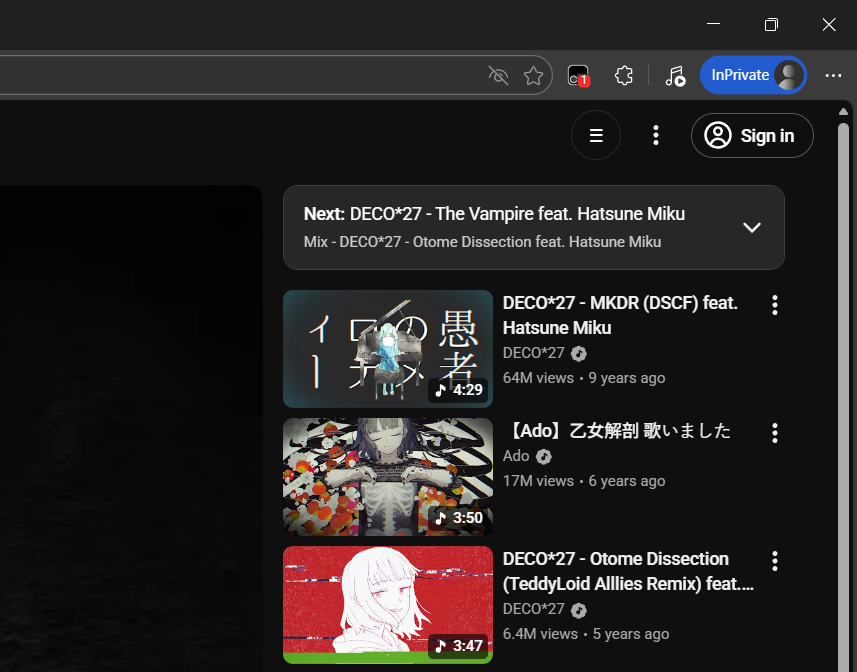
Collapsed Control Panel
The control panel in its minimized state.
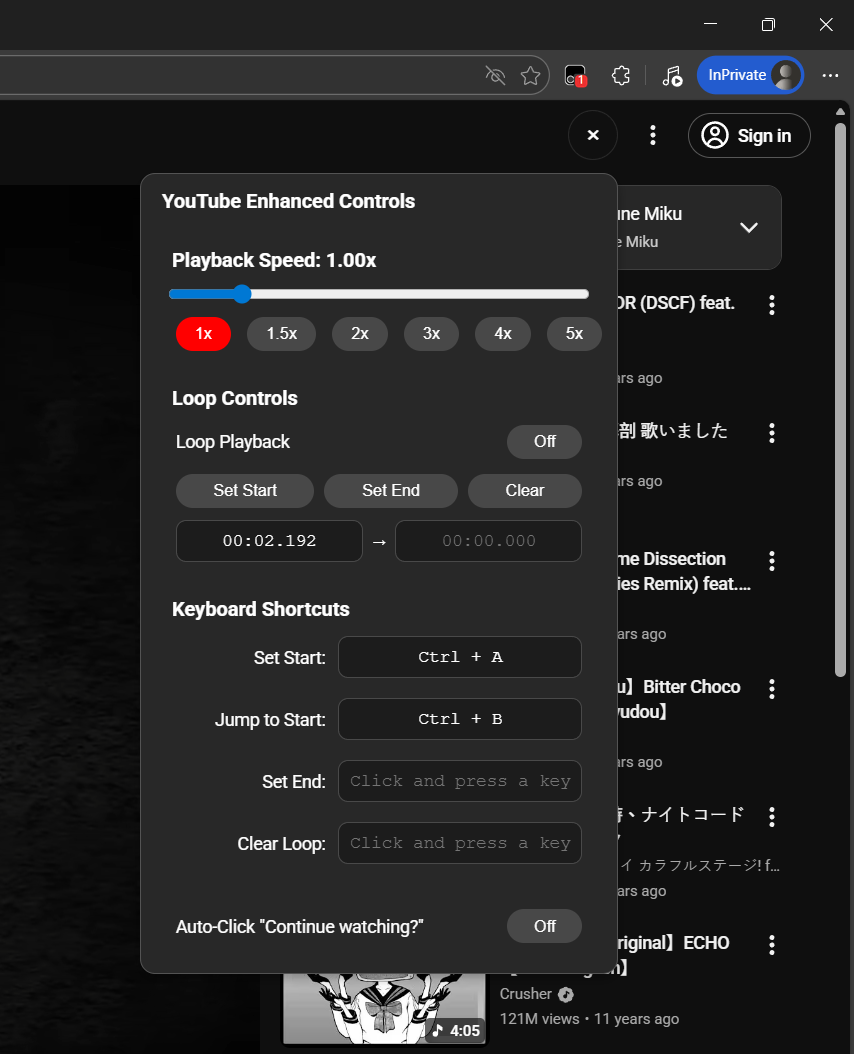
Expanded Control Panel
The full panel with all options visible.
Architecture
The script follows a modular, event-driven architecture designed for stability in YouTube's SPA environment:
┌───────────────────────────┐           ┌───────────────────────────┐
│  User Inputs (Keys/Panel) │           │ Browser Events (Navigate) │
└─────────────┬─────────────┘           └─────────────┬─────────────┘
              │ Command                               │ Trigger
┌─────────────▼───────────────────────────────────────▼─────────────┐
│                   YouTube Speed & Loop Script                     │
│ ┌───────────────────────────────────────────────────────────────┐ │
│ │          Lifecycle Manager [Cleanup] ─► [Init]                │ │
│ └───────────┬───────────────────────────────────────┬───────────┘ │
│             │ Reset                                 │ Setup       │
│ ┌───────────▼───────────┐           ┌───────────────▼───────────┐ │
│ │   UI & Input Layer    │ Dispatch  │   Functional Controllers  │ │
│ │ [Panel] [Shortcuts]   │──────────►│ [Speed] [Loop] [AutoConf] │ │
│ └───────────────────────┘           └───────────────────────────┘ │
└────────────────────────────────┬──────────────────────────────────┘
                                 │ Manipulate
┌────────────────────────────────▼──────────────────────────────────┐
│                            YouTube DOM                            │
│           HTML5 <video>   |   Listeners   |   Storage             │
└───────────────────────────────────────────────────────────────────┘
📦 Changelog
v1.1.1 (Current)
- ✨ Feature: Added a keyboard shortcuts manager.
- You can now set custom keys for: Set Start, Jump to Start, Set End, and Clear Loop.
- 🎨 UI/UX: Refined the control panel layout for better readability and alignment.
- ✨ Feature: Added a keyboard shortcuts manager.
v1.1.0
- ✨ Feature: Added an auto-clicker for the "Continue Watching?" dialog and precise manual inputs for loop timing.
- 🎨 UI Overhaul: Complete redesign of the control panel for a modern look, relocated to the top-right for better UI integration.
- 🔧 Stability: Refactored initialization logic for significantly improved reliability and speed during page navigation.
v1.0.1
- 🛠️ Fix: Prevent multiple control panels from appearing.
- 🔄 Fix: Keep custom loop toggle in sync with the native video loop state.
v1.0
- 🎉 Initial Release: Basic playback speed and loop functionality.