你正在訪問的內容是外部程式的映像位址,僅用於使用者加速訪問,本站無法保證其可靠性。當前的連結位址(單點即可複製)為 https://greasyfork.org.cn/zh-CN/scripts/553387-youtube-playback-plox,源站連結 點此以跳轉。
YouTube 播放 Plox
自动保存并恢复 YouTube 视频的播放进度,无需登录。
🔴 YouTube Playback Plox
Save and resume automatically video playback progress on YouTube without needing to log in.
Description
YouTube Playback Plox is a userscript that automatically remembers the exact point where you left a video on YouTube, so you can resume it later without needing an account or logging in.
Ideal for those who:
- Don't want to depend on YouTube's history.
- Use browsers with blockers or without persistent cookies.
- Want a more private experience.
✨ Features
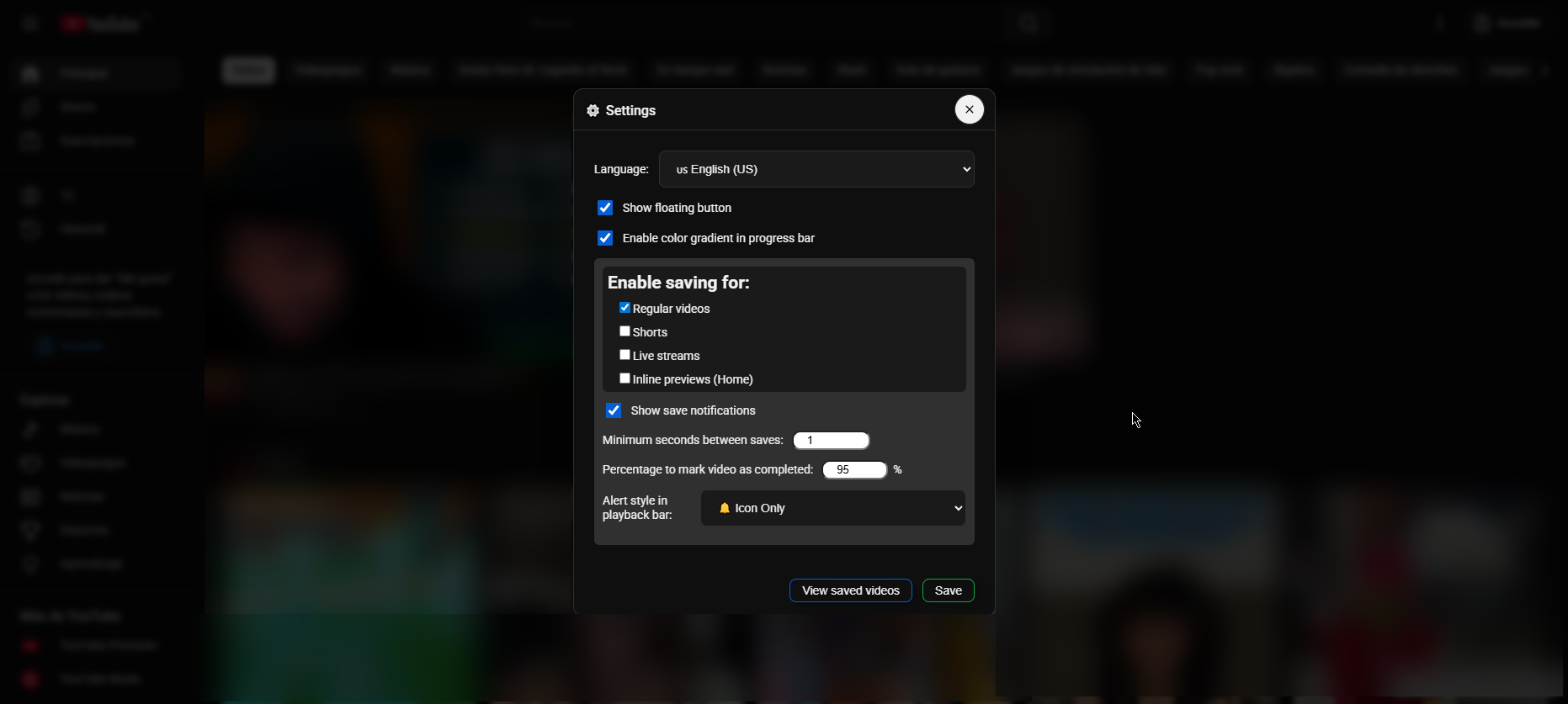
- 🔐 Works without Google account; everything is stored locally in your browser.
- 🕒 Saves the time and automatically resumes from that point when you return to the same video.
-
VideosMiniplayer
-
Shorts(by default disabled) -
Live streams(by default disabled) -
Previews on home(by default disabled)
-
- 🛑 Stops saving during ads.
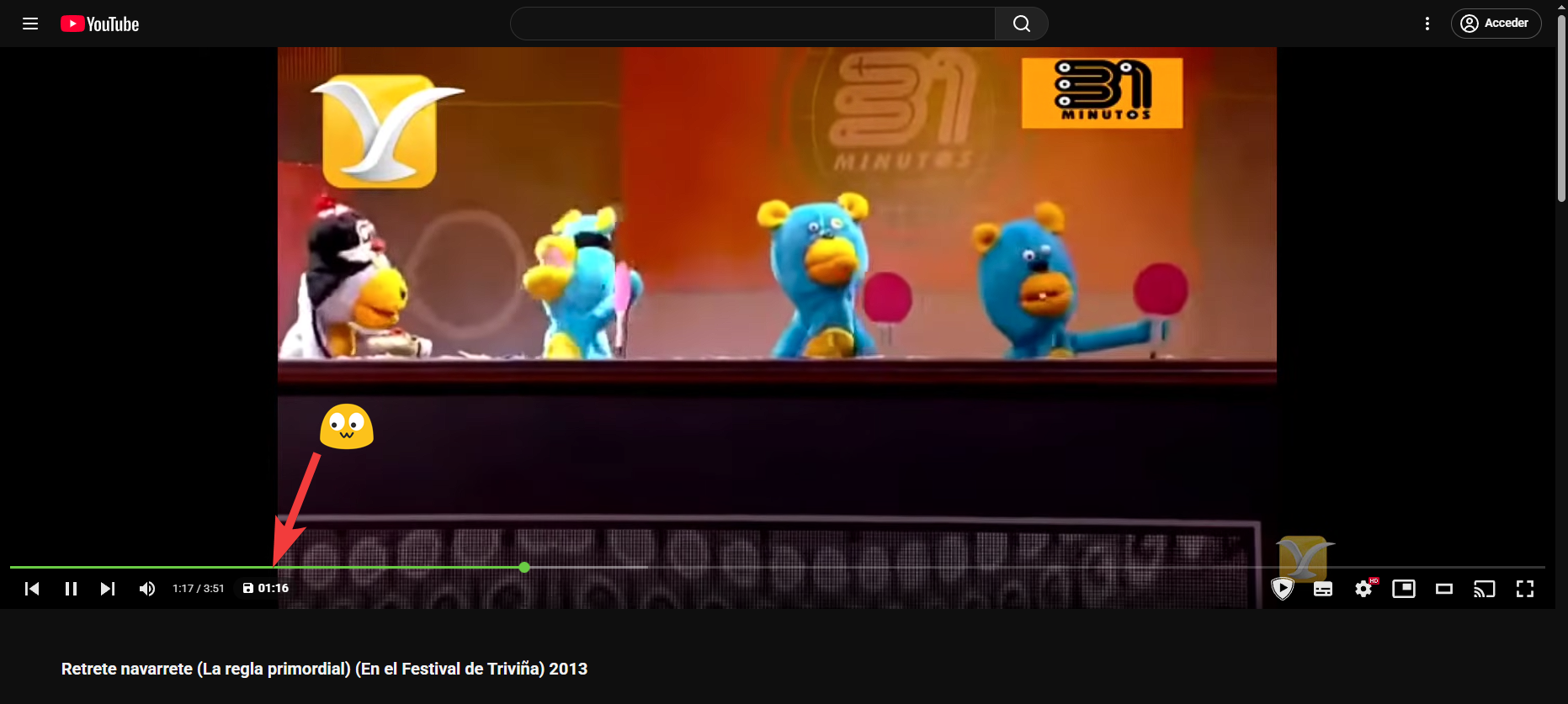
- 🔔 Integrated messages in the player bar showing when it has been resumed or progress is being saved.
- 🟢 Floating button for quick access to settings.
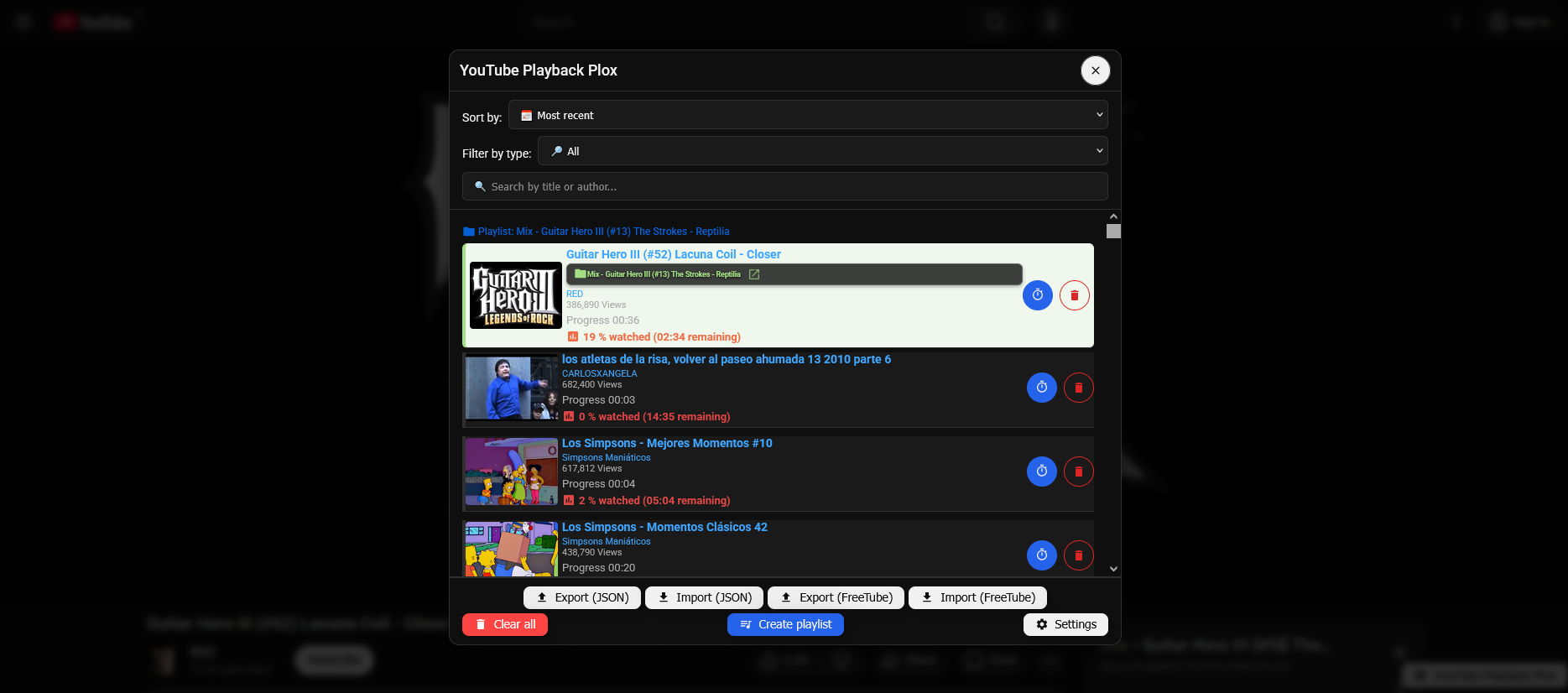
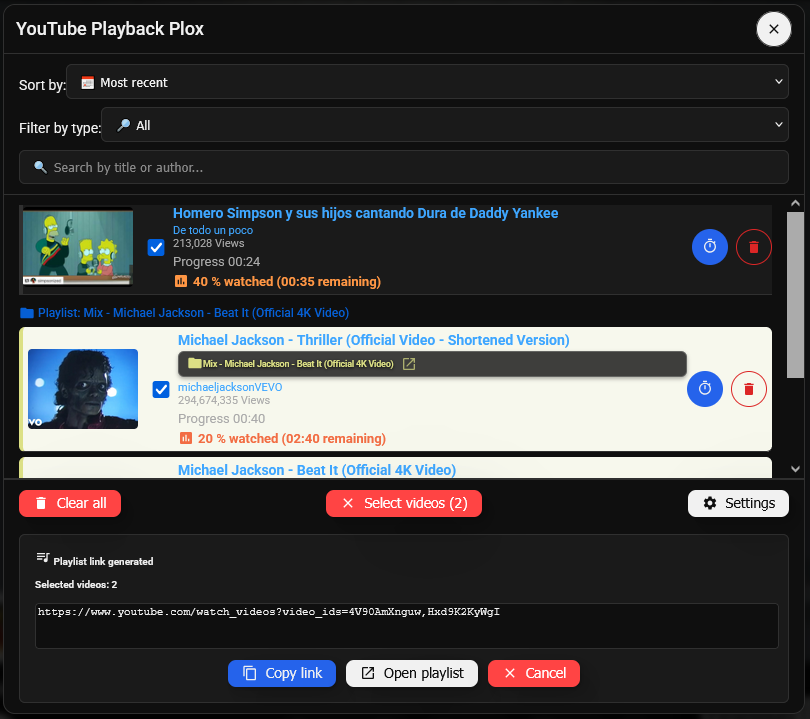
- 🗂 Modal with list of saved videos, thumbnails, author, percentage watched and remaining time.
- ⏱ Set a "fixed start time" per video to always start from a specific point.
- 📦 Export/Import all saved data to a JSON or DB (Compatible with Freetube history).
- 🔀 Create public playlists from watched videos.
🌐 Languages
| Flag | Code | Language |
|---|---|---|
| 🇬🇧 | en-GB |
English (UK) |
| 🇺🇸 | en-US |
English (US) |
| 🇪🇸 | es-ES |
Español |
| 🇪🇸 | es-419 |
Español (Latinoamérica) |
| 🇪🇸 | ca |
Català |
| 🇫🇷 | fr |
Français |
| 🇩🇪 | de |
Deutsch |
| 🇮🇹 | it |
Italiano |
| 🇵🇹 | pt |
Português |
| 🇳🇱 | nl |
Nederlands |
| 🇵🇱 | pl |
Polski |
| 🇸🇪 | sv |
Svenska |
| 🇩🇰 | da |
Dansk |
| 🇳🇴 | no |
Norsk |
| 🇫🇮 | fi |
Suomi |
| 🇨🇿 | cs |
Čeština |
| 🇸🇰 | sk |
Slovenčina |
| 🇭🇺 | hu |
Magyar |
| 🇷🇴 | ro |
Română |
| 🇧🇬 | bg |
Български |
| 🇬🇷 | el |
Ελληνικά |
| 🇷🇸 | sr |
Српски |
| 🇭🇷 | hr |
Hrvatski |
| 🇸🇮 | sl |
Slovenščina |
| 🇱🇹 | lt |
Lietuvių |
| 🇱🇻 | lv |
Latviešu |
| 🇺🇦 | uk |
Українська |
| 🇷🇺 | ru |
Русский |
| 🇹🇷 | tr |
Türkçe |
| 🇸🇦 | ar |
العربية |
| 🇮🇷 | fa |
فارسی |
| 🇮🇱 | he |
עברית |
| 🇮🇳 | hi |
हिन्दी |
| 🇧🇩 | bn |
বাংলা |
| 🇮🇳 | te |
తెలుగు |
| 🇱🇰 | ta |
தமிழ் |
| 🇮🇳 | mr |
मराठी |
| 🇨🇳 | zh |
简体中文 |
| 🇹🇼 | zh-TW |
繁體中文 |
| 🇭🇰 | yue |
粵語 (Cantonese) |
| 🇭🇰 | zh-HK |
繁體中文 (##) |
| 🇯🇵 | ja |
日本語 |
| 🇰🇷 | ko |
한국어 |
| 🇹🇭 | th |
ไทย |
| 🇻🇳 | vi |
Tiếng Việt |
| 🇮🇩 | id |
Bahasa Indonesia |
| 🇲🇾 | ms |
Bahasa Melayu |
| 🇵🇭 | tl |
Filipino |
| 🇲🇲 | my |
မြန်မာ |
| 🇰🇪 | sw |
Kiswahili |
| 🇪🇹 | am |
አማርኛ |
| 🇳🇬 | ha |
Hausa |
| 🇵🇰 | ur |
اردو |
| 🇿🇦 | zu |
isiZulu |
🛠️ Requirements
You need a userscript manager like:
📦 Installation
- Install a userscript manager (see above)
- 📥 Click here to install the script or Go to Greasyfork
How it works?
This script listens to the events of the YouTube player to save the playback time at certain intervals or when leaving the page. When you visit the same video again, it detects the ID and searches for the last saved progress to automatically resume the video from that point.
Privacy
All information is stored locally in your browser. No data is sent to external servers.
📸 Screenshots
📄 License
This project is under the MIT license. Consult the file LICENSE for more details.